Work Life Balance Tips For Remote Workers: Creating Clear Boundaries Between Work and Personal Time
Working from home brings convenience, flexibility, and plenty of freedom—but it also blurs the lines between our personal and professional lives. I’ve been there: staring at the screen while the couch tempts you with its cozy embrace. The key to thriving in a remote work setup is establishing firm boundaries. Today, I share with you my work life balance tips for remote workers that have helped me maintain sanity, boost productivity, and truly enjoy my off hours.
Understanding the Need for Physical and Mental Boundaries
When the office is just a few steps away from your living room, it’s easy to work late into the night. Without a defined area for work, both your head and heart feel overwhelmed, and your personal time gets invaded.
- Physical Separation: Designate a spot in your home exclusively for work. This might be a home office or even a specific corner with your desk and accessories.
- Visual Cues: Use items like a particular chair, a unique lamp, or a decorative room divider that signals “work mode” to your brain.
- Cleanup Ritual: At the end of your day, tidy up your workspace. Closing your laptop, filing away documents, and even covering your desk can signal that you’re off duty.
These steps are fundamental work life balance tips for remote workers. They allow you to mentally disconnect and enjoy quality personal time.
Implementing Time-Based Boundaries That Truly Work
A fixed schedule is a simple way to ensure that work doesn’t spill over into your personal time. Without commutes or office bells, I realized the importance of a time schedule to signal the start and end of my workday.
- Set Clear Hours: Decide on a start and stop time—be it 9 a.m. to 5 p.m. or any hours that work for you—and stick to them.
- Communicate Your Schedule: Let your family, friends, and colleagues know your set hours so they can respect your personal time.
- Use Reminders: Set alarms or timer notifications. When the alarm goes off, it’s time to step away, turn off work notifications, and truly relax.
This consistency trains your brain to distinguish between work and leisure, making your overall well-being better.
Work Life Balance Tips For Remote Workers: Setting Up Your Workspace for Optimal Productivity and Mental Health
Your immediate surroundings play a crucial role in your ability to focus and disconnect. Over the years, I’ve refined my workspace setup to not only boost productivity but also to preserve my mental health. Let’s dive into the details.
Selecting the Ideal Location in Your Home
Choosing the right spot in your home for your workspace is more important than you think. I always try to set up my workspace in a location away from distractions—preferably not in my bedroom. This separation allows me to maintain a clear division between where I work and where I truly rest.
- Natural Light: Position your desk near a window. Sunlight uplifts your mood and regulates sleep patterns. If natural light is scarce, invest in a good desk lamp that mimics daylight.
- Noise Considerations: A quiet space minimizes distractions. If you’re sharing your home with others, consider noise-canceling headphones or choose a room where you can close a door.
By designing your workspace with these pointers, you create an environment that is both productive and welcoming.
Investing in Ergonomic Furniture and Equipment
One significant work life balance tip for remote workers is ensuring that your physical well-being isn’t neglected. Investing in ergonomic furniture is not just about comfort—it prevents long-term physical issues like back pain and neck strain.
- The Right Chair: Look for a chair that supports your lower back and keeps your feet comfortable on the floor.
- Desk and Monitor Placement: Your desk should allow your arms to rest at a 90-degree angle when typing, and your monitor should sit at eye level.
These adjustments may seem small, but they have a huge impact on your physical health and, subsequently, your work performance.
Controlling Your Environment for Maximum Comfort
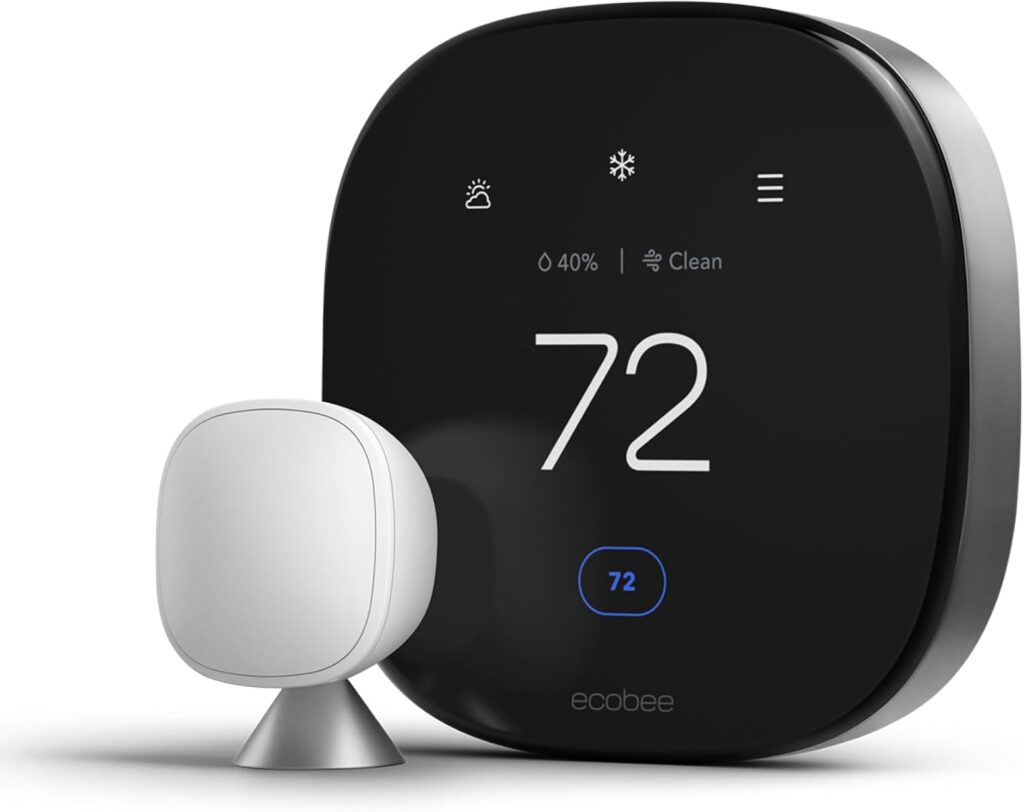
Temperature, air quality, and even humidity can greatly affect your concentration and productivity. I make it a habit to adjust small environmental factors:
- Optimal Temperature: Aim for a temperature range of 68 to 72 degrees Fahrenheit.
- Fresh Air and Ventilation: Open a window occasionally to boost alertness and reduce mental fog.
- Humidity Levels: Maintain humidity between 30-50% to keep your work environment comfortable.
Remember, the way you feel physically will influence your mental state. Small changes in your environment can lead to a big difference in your day-to-day productivity.
Work Life Balance Tips For Remote Workers: Mastering Your Schedule Without Burning Out
Remote work can easily turn into a never-ending loop of tasks that leave you drained and overwhelmed. To avoid burnout, I’ve adopted a series of time management strategies that keep me energized and focused throughout the day.
Establishing Fixed Work Hours
One of the simplest ways to regain control is by defining strict work hours. I robustly adhere to a start time and an end time:
- Beginning the Day Intentionally: I start off my day with a short routine—sometimes a walk, a bit of exercise, or even a quiet moment with a cup of coffee while planning my tasks. This routine readies my brain for work.
- Ending the Day with a Ritual: Before clocking out, I take 5–10 minutes to review what I achieved, close all work applications, and turn off notifications. This makes it easier for me to shift gears from work mode to personal time.
This structure not only increases my productivity but also strengthens the work life balance tips for remote workers that I rely on daily.
Prioritizing Tasks and Managing Workload
Not all tasks are created equal, and trying to juggle everything at once leads to inefficiency and stress. I use a few simple methods to keep my workload manageable:
- Eisenhower Matrix: I classify my tasks into four types—urgent and important, important but not urgent, urgent but not important, and neither urgent nor important. This helps me focus on what truly matters.
- The Two-Minute Rule: If a task takes less than two minutes to complete, I do it immediately. For longer tasks, I schedule specific blocks of time in my calendar.
This strategic approach is one of my favorite work life balance tips for remote workers. It saves time, minimizes stress, and ensures that I’m handling the most impactful tasks first.
Integrating Regular Breaks Into Your Routine
Ever felt that the hours just slip away? I have too. Scheduling regular breaks is essential, not a luxury. Here’s what I do:
- Short Breaks: Every 60 to 90 minutes, I take a 10-minute break to stretch, hydrate, or simply step away from my desk.
- Lunch Away from the Desk: I make it a rule not to eat lunch at my workstation. Instead, I either step outside or move to another area to enjoy a meal without distractions.
These breaks help recharge my brain, improve focus, and reinforce healthy work habits.
Managing Digital Communication and Notifications
We face a barrage of emails, Slack messages, and instant notifications every day. I’ve learned that controlling them is key to maintaining a healthy work-life separation:
- Scheduled Check-Ins: Instead of reacting to every notification, I designate times throughout the day to check emails and messages (for example, mid-morning, noon, and mid-afternoon).
- Turning Off Non-Urgent Alerts: I silence notifications during personal hours and use features such as “Do Not Disturb” to ensure uninterrupted downtime.
This simple switch protects my personal time and keeps me in control of my work schedule—a true hallmark of effective work life balance tips for remote workers.
Work Life Balance Tips For Remote Workers: Building Meaningful Social Connections When Working From Home
Isolation is a common struggle in remote work. Without the casual hallway chats or watercooler banter, it’s easy to feel disconnected. I’ve made it a priority to cultivate social interactions that enrich both my professional and personal life.
Scheduling Regular Video Calls Beyond Work Meetings
While work meetings are essential, they rarely offer the personal touch that keeps me motivated. I’ve started arranging intentional video calls with colleagues just to catch up and talk about life outside of work. It could be a virtual coffee break or a weekly lunch chat that lasts just 15–20 minutes. These moments of connection remind me that I’m part of a team, even if we’re miles apart.
Joining Virtual Communities and Online Networking
If your team doesn’t have dedicated channels for non-work interactions, consider setting some up. I joined a few Slack channels and even a Discord server where coworkers discuss hobbies, share memes, or plan fitness challenges. These virtual communities can offer meaningful support and camaraderie.
You might also explore resources like our friends at Eco Casa Life for inspiration on structuring a sustainable and balanced life.
Exploring Co-Working Spaces When Possible
Even if remote work is your full-time gig, I highly recommend mixing in occasional days at a co-working space. Being in a shared environment provides face-to-face interactions, a change of scenery, and a general boost in energy. It’s a simple yet effective way to counter the solitude of remote work.
Engaging in Company Events and One-on-One Conversations
Make it a point to participate in any company-sponsored events, virtual happy hours, or team-building activities. I find that even a small, informal conversation with a coworker can spark creative ideas and help me feel more connected.
There’s real value in reaching out on a one-on-one basis—a simple “Hey, how’s your day going?” can lead to deeper, more supportive relationships at work.
Maintaining Clear Boundaries Around Social Interactions
As much as I value social connections, I also firmly believe in not letting them interfere with work or personal rejuvenation time. I set boundaries by:
- Letting colleagues know my available hours for casual chats
- Blocking off focused work time on my calendar
- Using messaging apps only during designated intervals
This balance not only improves my productivity but reinforces the work life balance tips for remote workers that I adhere to every day.
Work Life Balance Tips For Remote Workers: Leveraging Technology to Separate Professional and Personal Life
We live in a hyper-connected world where our devices often blur the line between work and play. The trick is to use technology as a tool for separation, not as a source of distraction. Here’s how I have accomplished this:
Creating Separate Digital Identities for Work and Personal Life
I invest in clear-cut digital separation to avoid the trap of constant connectivity. If your company provides you with a work laptop, keep it strictly for work and avoid personal browsing on it. For those of us using a single computer, consider creating separate user profiles:
- Work Profile: Reserve this profile for email, video calls, and work documents. Set a distinct desktop background that reminds you it’s time to focus.
- Personal Profile: Use this for your social media, personal emails, and leisure activities. Switching between profiles is like shifting gears in your brain.
Smart Email and Communication Management
Email and messaging apps can be relentless if not managed properly. I tackle these challenges by:
- Scheduling Check Times: I limit email checks to specific times during the day—mid-morning, before lunch, and mid-afternoon.
- Using Auto-Responses: If I’m offline, I enable an auto-reply, setting clear expectations for when I’ll be available.
- Customizing Notifications: I silence work notifications after my set work hours, ensuring my personal time is undisturbed.
This method has drastically reduced the stress of constant notifications and solidified my digital work-life boundaries.
Establishing Physical and Digital Workspace Boundaries
Technology extends beyond apps; it can even help create physical boundaries. For instance, I use smart home devices like automated lights that turn on at the start of my workday and dim when it’s time to unwind. This visual cue reinforces the transition from work to personal time.
- Separate Devices: When possible, use a dedicated work phone or, if inevitable, alter your phone settings to silence work notifications during non-work hours.
- Calendar Blocking: I block out time on my digital calendar for focused work and personal activities alike. This not only tells others when I’m available but also keeps me accountable.
Embracing Automation to Prevent Work Spillover
Automation isn’t just about convenience; it’s about protecting your time. I rely on several tools to keep my work in its lane:
- Task Management Software: Tools like Trello, Monday.com, or Asana let me organize tasks. When everything is neatly logged, there’s no need to worry about unfinished business during personal time.
- Scheduling Tools: Apps such as Calendly help streamline meeting coordination so that personal time isn’t consumed by back-and-forth emails.
- Focus Apps and Website Blockers: During my off hours, I use apps like Freedom or Cold Turkey to block distracting websites and work-related portals.
These technological interventions help maintain a disciplined separation, ensuring that my personal time remains personal.
Work Life Balance Tips For Remote Workers: FAQs
How can I quickly establish boundaries between my work and personal life?
It starts with both physical and time-based separation. Define a specific workspace, set fixed work hours, and establish a shutdown ritual to signal the end of your workday.
What if I live in a small space and can’t create a separate office?
Use visual markers like a unique chair or room divider to designate your work area. Additionally, switch off your work devices and store them out of sight at the end of the day.
How do I manage constant work notifications?
Schedule specific check-in times for emails and messages. Use “Do Not Disturb” modes and auto-responses to prevent work communications from intruding during your personal time.
What strategies help prevent digital burnout?
Create separate digital identities by using dedicated work profiles or devices, block distracting websites during off hours, and use automation tools to reduce manual workload management.
How can I maintain social connections without disrupting my schedule?
Arrange regular video calls, join virtual communities, and set clear expectations with colleagues on your available hours for non-work conversation. Consider occasional meet-ups in co-working spaces to reconnect face-to-face.
Work Life Balance Tips For Remote Workers: Conclusion
At the end of the day, achieving a healthy balance between work and personal life is not about cutting back on hours—it’s about designing a lifestyle where you can excel professionally without sacrificing your well-being. I’ve shared my journey and practical tips that have transformed my life as a remote worker, and I believe they can help you too.
It all boils down to discipline, intentionality, and a willingness to set boundaries. When you:
- Create dedicated physical spaces
- Set and stick to clear time-based boundaries
- Use technology tools to separate your work and personal lives
- Prioritize meaningful social interactions
You’re not just making your day more structured—you’re taking charge of your overall quality of life.
Over time, you’ll realize that small changes add up. Maybe you start by simply turning off your work email after a certain hour or by cleaning up your desk at the end of each day. Soon, these habits will become second nature, and you’ll enjoy the dual benefits of increased productivity and better personal fulfillment.
If you’re looking for more inspiration on living sustainably and maintaining work-life balance, check out these helpful resources:
Eco Casa Life Blog,
10 Easy Zero Waste Swaps For Your Home,
Best Biodegradable Laundry Detergents Of 2024, and
Sustainable Home Upgrades on a Budget.
Remember, work life balance tips for remote workers aren’t one-size-fits-all. You have to experiment, assess, and iterate until you find what truly works for you. Enjoy the freedom that remote work offers, and use these strategies as a foundation for a more balanced, productive, and fulfilling life.
As you move forward in your remote work journey, keep these core ideas in mind:
- Intentional Boundaries: They protect your energy.
- Focused Routines: They replace chaos with clarity.
- Smart Technology Use: It empowers you to control your schedule.
- Valuable Social Interactions: They remind you of the human connection behind the screen.
Ultimately, the goal is to design your remote work experience so that it enhances your life, not diminishes it. Work should fuel your passion, not exhaust you. So, take these work life balance tips for remote workers to heart, apply them one step at a time, and watch both your professional success and personal happiness soar.